

 Alex Zelaya
1 min read

Filing Form 2553 is your gateway to S Corp status and serious tax savings, but it doesn't have to mean endless paperwork and IRS phone calls. This strategic election lets solopreneurs pay themselves a reasonable salary and take remaining profits as distributions, potentially saving thousands annually on self-employment taxes. With Lettuce, the entire process becomes automatic.
S corporations aren't just for large companies. You don't need a boardroom or a payroll department to run one. Even a business-of-one can use Form 2553 to access the same tax advantages that help big corporations keep more of their earnings. This straightforward filing changes how the IRS treats your income, turning it into a powerful strategy for reducing self-employment taxes.
S Corps used to feel out of reach for solopreneurs: too much paperwork, confusing payroll rules, and compliance risks that made most accountants wave people off. That reputation is outdated. With Lettuce, what once required a finance team is now a streamlined, automated process. You can unlock the same tax benefits without the maze of forms or the fear of messing up.
Lettuce files and tracks your S Corp election automatically, then manages IRS correspondence and compliance so you never deal with paperwork or long hold times again.
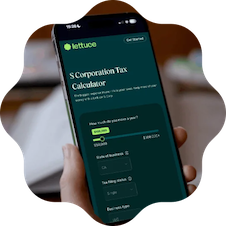
FREE CALCULATOR
S Corp Tax
The biggest expense in your life is your taxes. Use this calculator to see what you could save with an S Corp.
CalculateWhat Is Form 2553? Your S Corp Shortcut (and How Lettuce Automates It)
Form 2553 is the IRS form that elects S Corporation status, changing how your business-of-one gets taxed. When you file it, you're choosing a different treatment than a traditional LLC or sole proprietorship.
Instead of paying self-employment tax on your entire profit, S Corps are taxed as pass-through entities. Your business income passes through from the S Corp directly to you on your personal return without the double taxation that hits regular corporations and sole proprietors.
The IRS requires S Corp owners who work in the business to pay themselves reasonable compensation before taking distributions. Here's your strategic advantage: you pay yourself a reasonable salary (subject to payroll taxes), then take additional profits as distributions, which aren't subject to Social Security and Medicare taxes.
For most solopreneurs, the real tipping point comes once profits consistently pass $80,000 a year. That's when the math favors an S Corp, because the tax savings on distributions generally outweigh the additional costs of running payroll. And timing matters: a new company can elect S Corp status from its first day of business, and an existing business that missed the filing window may qualify for late election relief. Learn how mid-year elections work, or let Lettuce run the numbers and file your election as early as the rules allow.
The Lettuce S Corp election feature removes the complexity with automated analysis that shows exactly when your business is ready for the election, then files Form 2553 with the IRS for you.
When Is the Form 2553 Deadline?
File Form 2553 no more than 2 months and 15 days after the beginning of the tax year you want the election to take effect, or at any time during the tax year before it (IRS Instructions for Form 2553).
For most solopreneurs on a calendar tax year, that means filing by March 15 for the election to apply to the current year. For example, to be taxed as an S Corp for all of 2027, file any time during 2026 or no later than March 15, 2027.
A few rules to keep in mind:
-
New businesses: The 2-month and 15-day clock starts on the earliest date your company has shareholders, acquires assets, or begins doing business.
-
Weekends and holidays: If the deadline falls on a weekend or legal holiday, it moves to the next business day.
-
Late filings: If you file after the deadline, the election generally takes effect the following tax year unless you qualify for late election relief.
How to File Form 2553 Manually (the Traditional Way)
If you want to file Form 2553 directly with the IRS, here's what the process looks like:
-
Download the form: Get Form 2553 from the IRS website.
-
Fill out business details: Enter your legal name, address, EIN, and date of incorporation.
-
Choose your effective date: Decide when you want your S Corp election to start (usually January 1st). Make sure you file within the deadline for that date.
-
List shareholders: Provide the names and Social Security Numbers of all shareholders (for solopreneurs, that's just you).
-
Sign the form: You (and any shareholders) must sign to authorize the election.
-
Submit to the IRS: Mail or fax the form to the correct IRS Service Center listed in the form instructions. Keep a copy for your records.
-
Wait for confirmation: The IRS typically responds within 60 days with an acceptance or rejection letter.
Pro Tip: If the IRS rejects your Form 2553 for a small mistake, correct and resubmit it as quickly as possible. If you're still within the filing window, your intended start date can stand. If the window has closed, you may need to request late election relief. Keep a copy of your original filing and any IRS letters so you can resolve issues faster.
That's the old-school way: paper forms, manual signatures, and waiting by the mailbox. It works, but it's slow and leaves room for errors that could delay your election.
The good news? It can be much simpler.

FREE CALCULATOR
W-2 vs 1099 vs S Corp
Same contract. Three very different paychecks. Enter your numbers to see exactly what you'd take home under each structure.
CalculateThe Lettuce-Automated Form 2553 Process
Filing Form 2553 used to mean hours of paperwork and IRS phone calls. Now, Lettuce turns it into these three simple steps:
-
Lettuce gathers your basics: Whether you already have an EIN or need one, Lettuce pulls the correct details and pre-fills the form automatically, no data entry headaches.
-
You review and sign: Lettuce generates your Form 2553 with the correct details already in place. All you do is review, add your digital signature, and approve.
-
Lettuce files and tracks it: Once you sign, Lettuce files with the IRS, monitors your status, and manages any back-and-forth. If the IRS needs clarification, Lettuce handles it so you never spend time on hold or worry about missed deadlines.
Lettuce monitors your filing status, confirms IRS acceptance, and sends you real-time updates on your S Corp election progress. If the IRS has questions or your filing needs adjustments, Lettuce manages all communication and resubmissions on your behalf.
Ready to skip the paperwork? Start your S Corp filing with Lettuce and let automation do the heavy lifting.
Unlock S Corp Tax Benefits: See Exactly How Much You Can Save
Electing S Corp status with Form 2553 can change how much you keep from your business profits. As a sole proprietor or single-member LLC, you pay 15.3% self-employment tax on 92.35% of your net earnings, with the 12.4% Social Security portion capped at the 2026 wage base of $184,500. As an S Corp, you pay Social Security and Medicare taxes only on your salary. Distributions aren't subject to either.
Here's how the numbers compare at different profit levels:
| Annual profit | Example salary | Distributions | Self-employment tax (sole prop/LLC) | Payroll taxes (S Corp) | Estimated annual savings |
|---|---|---|---|---|---|
| $60,000 | $35,000 | $25,000 | $8,478 | $5,355 | About $3,100 |
| $100,000 | $50,000 | $50,000 | $14,130 | $7,650 | About $6,500 |
| $150,000 | $70,000 | $80,000 | $21,194 | $10,710 | About $10,500 |
| $200,000 | $90,000 | $110,000 | $28,234 | $13,770 | About $14,500 |
How we calculated this: Self-employment tax is 15.3% of 92.35% of profit, with the Social Security portion capped at the 2026 wage base. S Corp payroll taxes are 15.3% of salary (employer and employee shares combined). Salaries are illustrative only. Your reasonable salary depends on your role, hours, and what similar businesses pay. Figures exclude income tax effects, state taxes, unemployment taxes, and payroll or tax preparation costs.
For example, a solopreneur earning $100K in profit who pays themselves a $50K salary would save roughly $6,500 a year in Social Security and Medicare taxes.
Beyond immediate savings, this structure gives you more control over cash flow. Instead of sending thousands to the IRS, you can reinvest in equipment, explore new markets, or invest in professional development, giving your business more flexibility to grow.
Pro Tip: Before you file, run the numbers. The free Lettuce S Corp Tax Calculator estimates your optimal salary and distribution split so you can capture the maximum benefit while staying compliant.
Curious about your potential savings? Try the Lettuce S Corp Tax Calculator for an instant, personalized estimate.
Filing Form 2553 Frequently Asked Questions (FAQs)
You've got questions about Form 2553 and S Corp elections, and that's smart business thinking. These are the most common concerns solopreneurs ask when considering this tax-saving move.
What is the deadline to file Form 2553?
File Form 2553 no more than 2 months and 15 days after the beginning of the tax year the election is to take effect, or at any time during the preceding tax year. For calendar-year businesses, that means filing by March 15 for the election to apply to the current year. If the deadline falls on a weekend or legal holiday, it moves to the next business day.
How long does it take to get S Corp status after filing Form 2553?
The IRS typically responds within 60 days of receiving your Form 2553, either accepting or denying your election. Once accepted, your S Corp status becomes effective on the date you specified on the form (usually January 1st of the current tax year).
Can I file Form 2553 online, or do I need to mail it?
In most cases, Form 2553 cannot be filed electronically on its own. The IRS accepts it by mail or fax at the service center listed in the form instructions. The main exception is a late election attached to Form 1120-S, which can be filed electronically with the return. Fax is faster than mail, and the IRS sends an acceptance notice once your election is approved.
Does S Corp status make sense if I'm the only employee?
Yes. S Corp status can be especially valuable for solopreneurs. A business with $100,000 to $200,000 in profit could save roughly $6,500 to $14,500 a year in Social Security and Medicare taxes by paying the owner a reasonable salary and taking the rest as distributions, before payroll and administration costs.
What if I miss the deadline? Can I still get S Corp benefits this year?
Missing the deadline doesn't mean you're out of luck. Under Rev. Proc. 2013-30, the IRS generally grants late election relief if you request it within 3 years and 75 days of your intended effective date and had reasonable cause for filing late. Businesses outside that window may still qualify in some cases if they and their shareholders have reported income consistently with S Corp status.
What happens if the IRS rejects my Form 2553?
Most rejections stem from fixable issues like missing signatures, missing shareholder consents, or incorrect entity information. Correct and refile as soon as possible. If you are still within the filing window, your intended start date can stand. If the window has closed, you may need to request late election relief.
How does Lettuce handle S Corp election and IRS correspondence for me?
Lettuce automates your entire S Corp process, from filing Form 2553 to tracking acceptance and managing any correspondence. The system monitors deadlines, confirms your election status, and handles any challenges or rejections, giving you complete peace of mind while you focus on growing your business.

FREE CALCULATOR
Late S Corp Election
Should you backdate your S-Corp election? See how much that could save you compared to starting today, and whether you still qualify.
CalculateTake Control: Automate Your S Corp Setup and Start Saving Today
Filing Form 2553 and maintaining S Corp status doesn't have to be complicated. With the right system, your filing, payroll, and compliance can run automatically, freeing you from repetitive paperwork and helping you stay on top of every deadline.
Lettuce's Complete Financial System for businesses-of-one handles these tasks in the background while keeping your S Corp in good standing. Learn more about the process here.
